Basic Operations
- When you launch the application, a clock appears in 3D space
- Click the heart icon in the top left to open the settings panel
- Customize various settings in the settings panel and click "Save" to apply them
- Press the "Close" button to close the settings panel
Click the refreshed floating button (three-line icon) in the top-left corner to open the redesigned settings panel. The new card-style surface floats above the scene, letting you scroll through sections quickly.
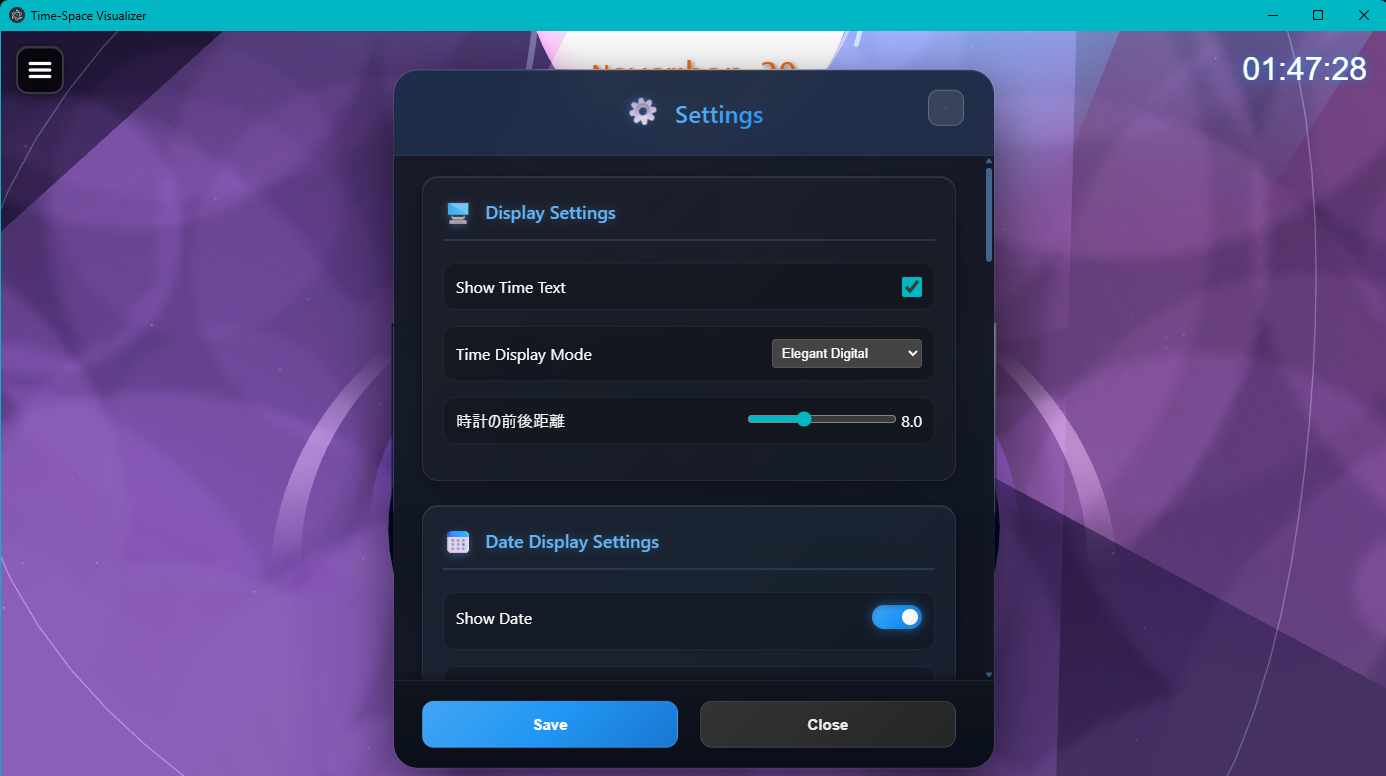
Modern card UI with larger toggles and sliders
Settings
Display Settings
The display section now features icon-labelled headers and generous spacing. Toggles and sliders show their numerical value beside the control, so you can confirm the result immediately.
Time Text Display
Toggle the display of text showing the time on/off.
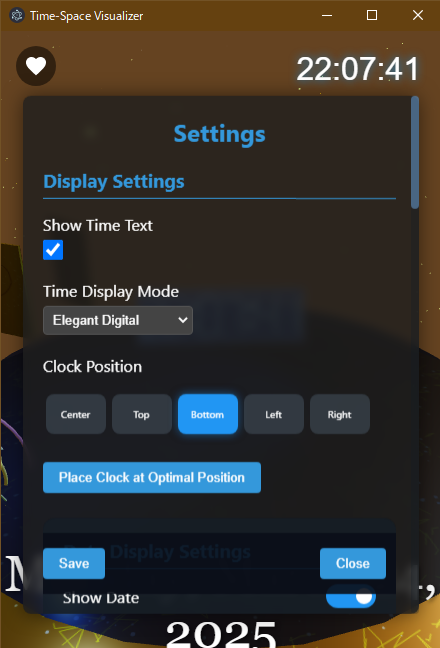
Time text display settings screen
Time Display Mode
You can choose from the following 4 modes:
- Analog: Traditional 3D analog clock
- Digital: 3D digital clock
- Glowing Analog: Beautiful transparent analog clock with luminous effects
- Elegant Digital: Digital clock with refined design
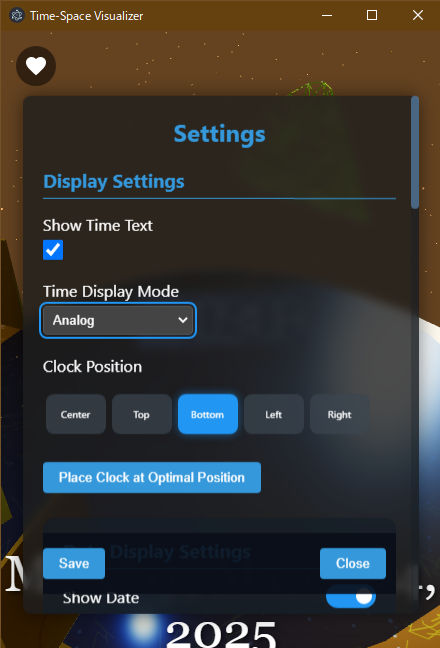
Clock Setting Items
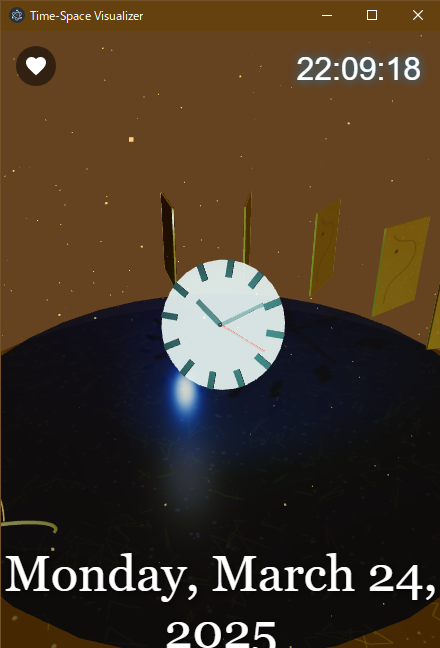
Analog Mode
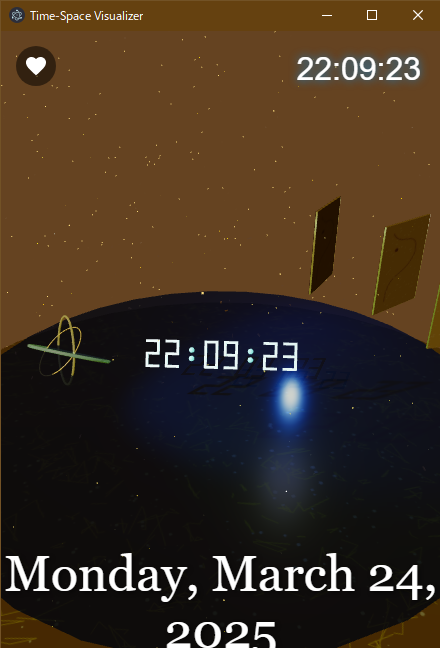
Digital Mode
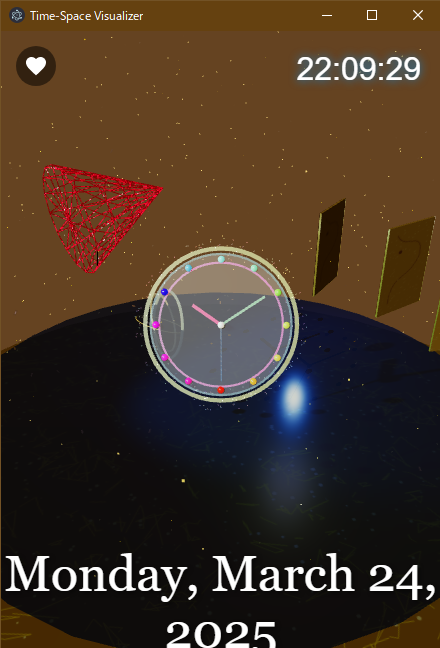
Glowing Analog Mode
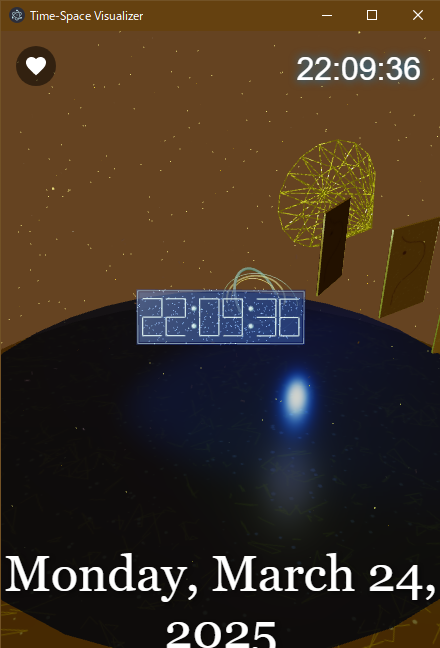
Elegant Digital Mode
Clock Display Position
You can choose from 5 positions for the clock display:
- Center
- Top
- Bottom
- Left
- Right
Press the "Place clock in optimal position" button to automatically adjust to the optimal position for
your current theme and settings.
Starting with Version 1.2.6, the clock is always rendered directly in front of the camera and smoothly follows camera motions. Use the "Clock Depth Distance" slider in the settings panel to adjust how close the clock appears to the viewpoint, effectively controlling its size on screen.
Bring it closer for a HUD-like large display, or push it away to enjoy the surrounding scenery with the clock floating in the scene.
Date and Time Display Settings
The card-based layout now groups toggles, segmented buttons, and sliders with clear icons. Any change is instantly mirrored in the preview area, so you can confirm the look before saving.
Date Display
Toggle the display of the date on/off.
Date Format
You can select from the following formats:
- Auto: Automatic selection based on your system
- Date Only: Show only day and month
- Year + Date: Show year, month, and day
- Full Display: Show year, month, day, and day of the week
Font Size
Adjust the font size of the date display using the slider (10px to 50px).
Display Position
You can select the position for the date display:
Margin
Adjust the margin from the edge of the screen using the slider (0px to 100px).
Font
Choose from 5 font types:
- Georgia
- Times New Roman
- Courier New
- Arial
- Lucida Console
Font Color
Select the font color from the color picker or presets.
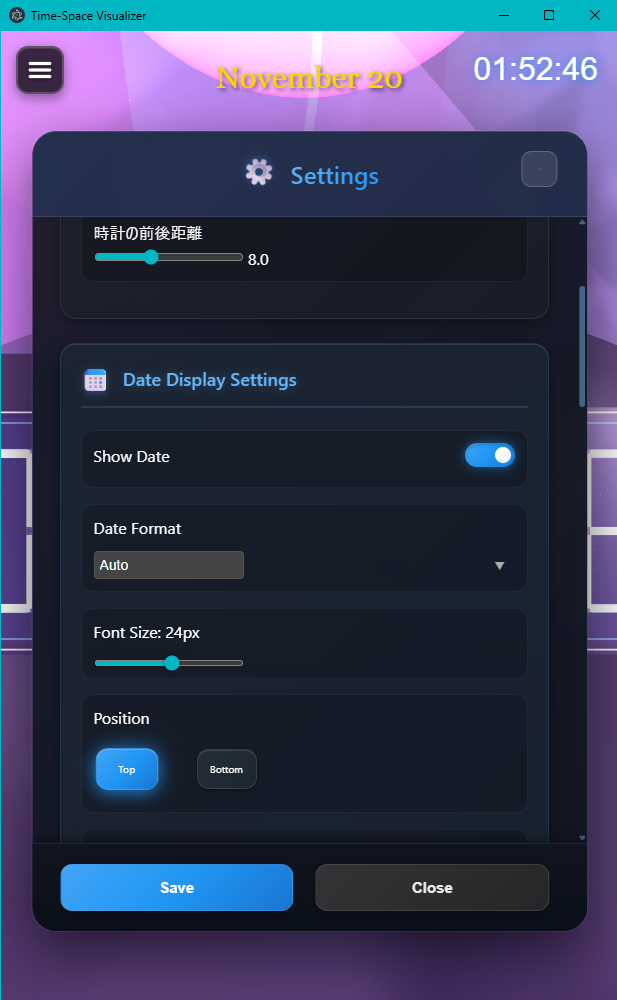
Card showing the depth slider and date toggle controls
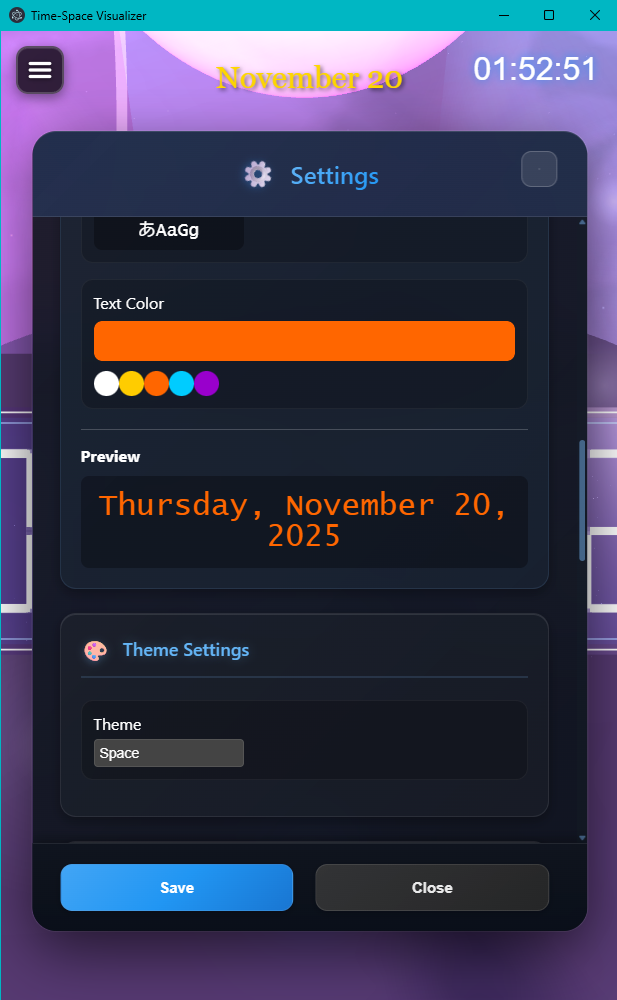
Color picker, live preview, and theme selector combined in one card
Theme Settings
You can choose from the following 10 themes:
- Auto: Automatically changes according to the time of day
- Space: Refreshed cosmic backdrop filled with nebula glow and flowing light ribbons
- Underwater: Represents an underwater atmosphere
- Fantastical: Mystical and fantastical space
- Minimal: Simple design without excess
- Simple: Simple design with just the basic elements
- White: Design based on white
- Cherry Blossom: Japanese-style design with cherry blossom petals and soft lighting
- Indigo: Design based on traditional Japanese indigo dye
- Gold Leaf Screen: Design inspired by luxurious gold leaf folding screens
- Flame Fantasy: Dramatic stage that overlays flickering flames and afterglow lights
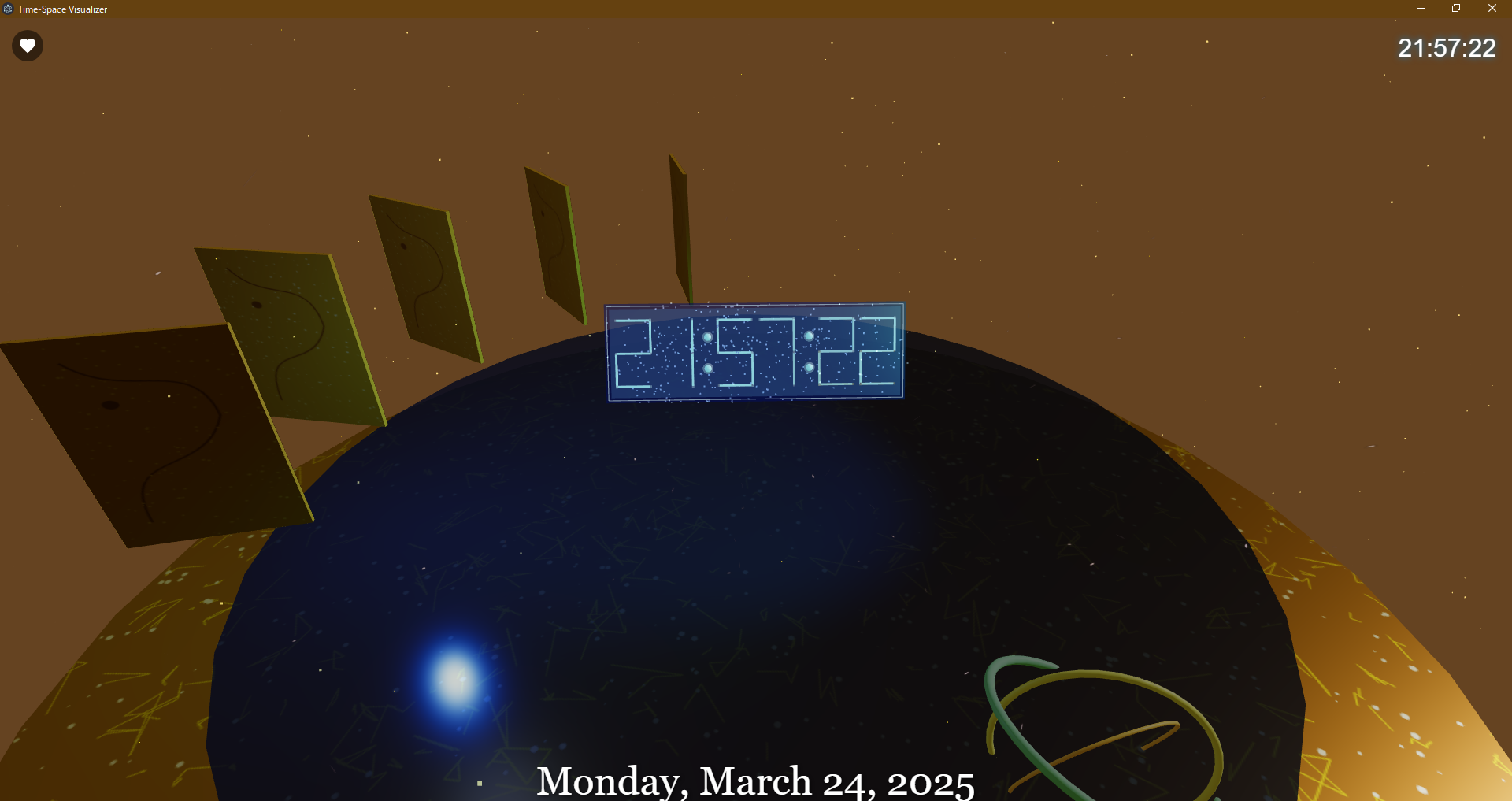
Auto Mode

Space Theme
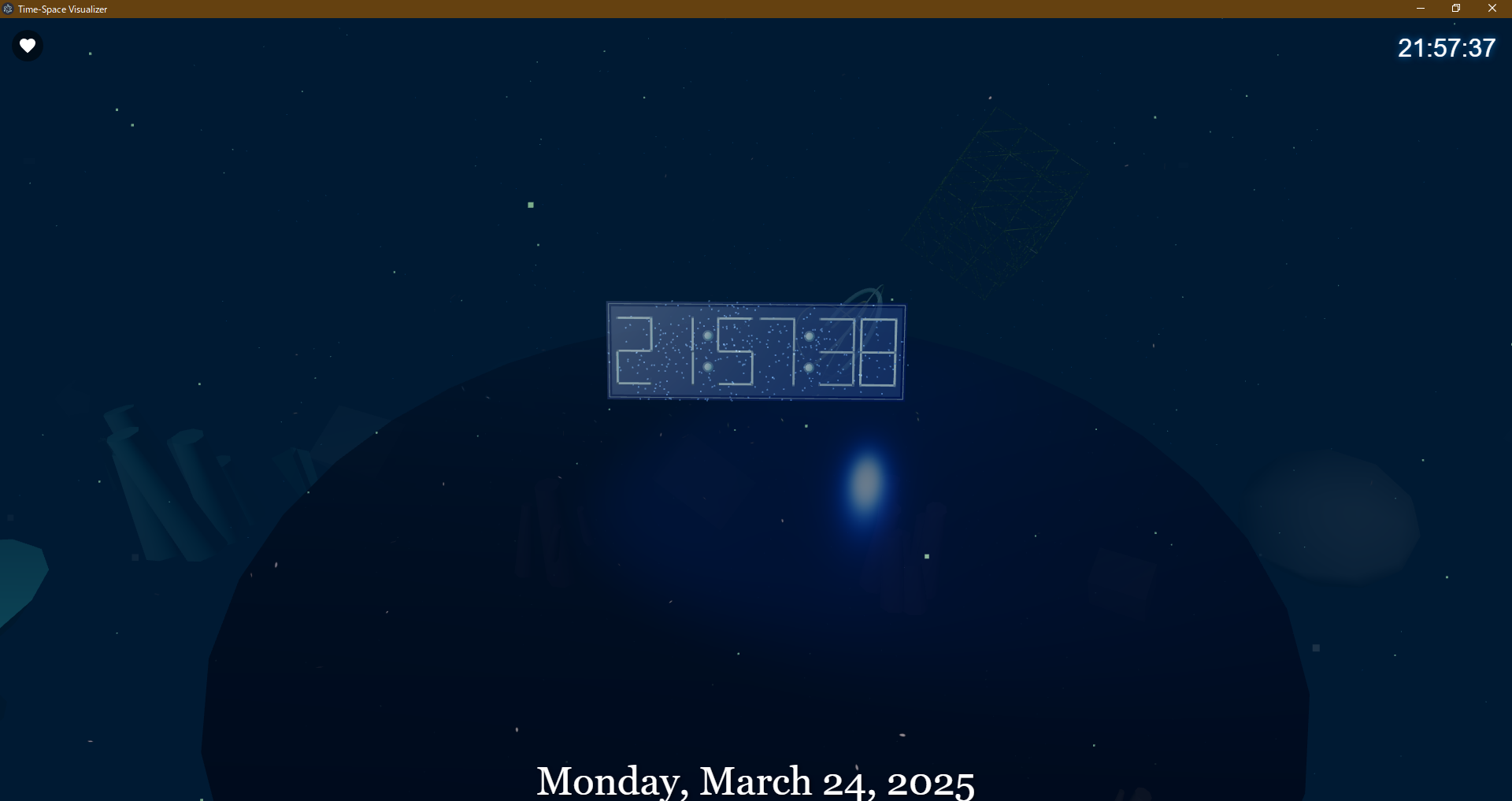
Underwater Theme
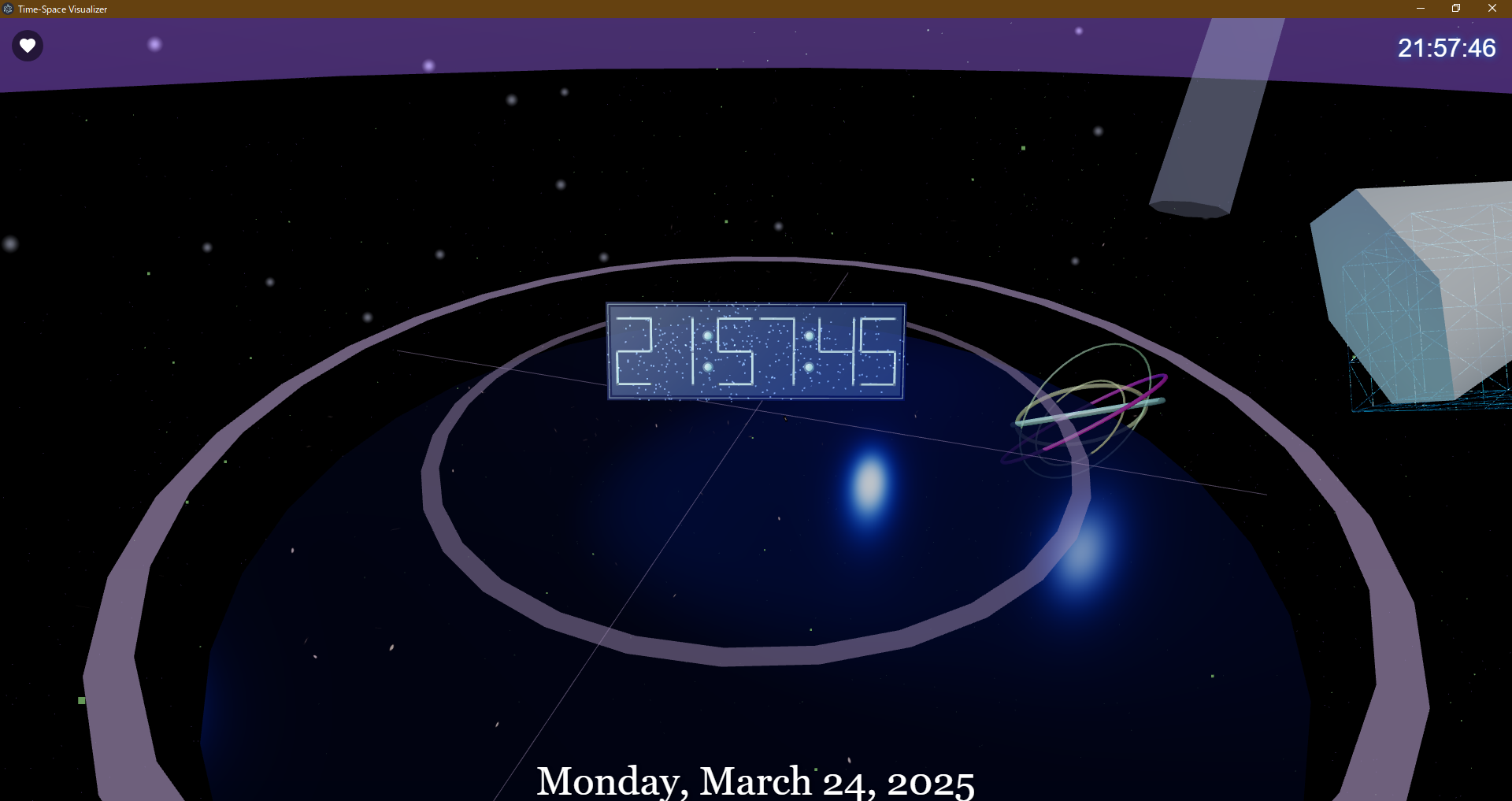
Fantastical Theme
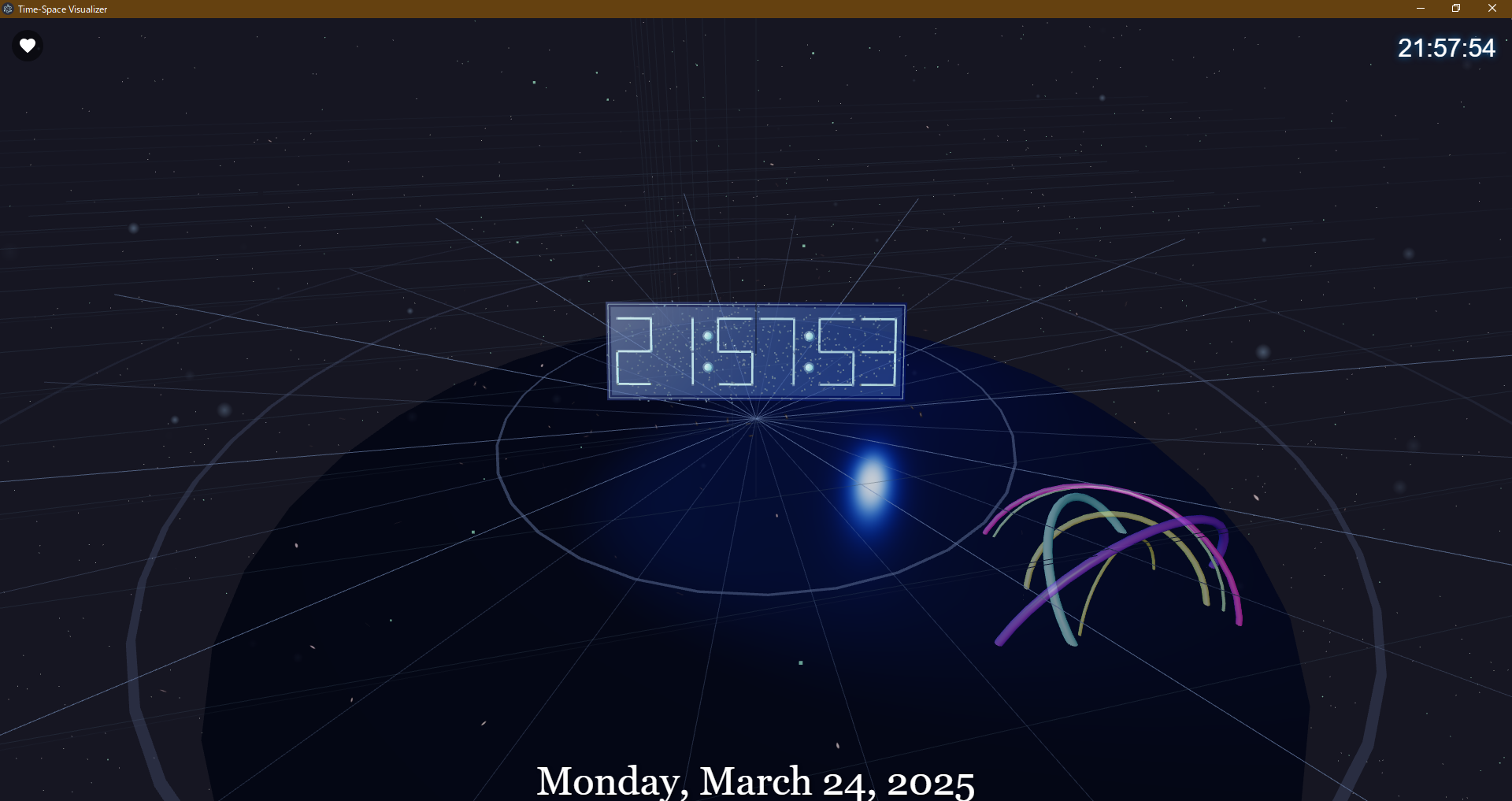
Minimal Theme
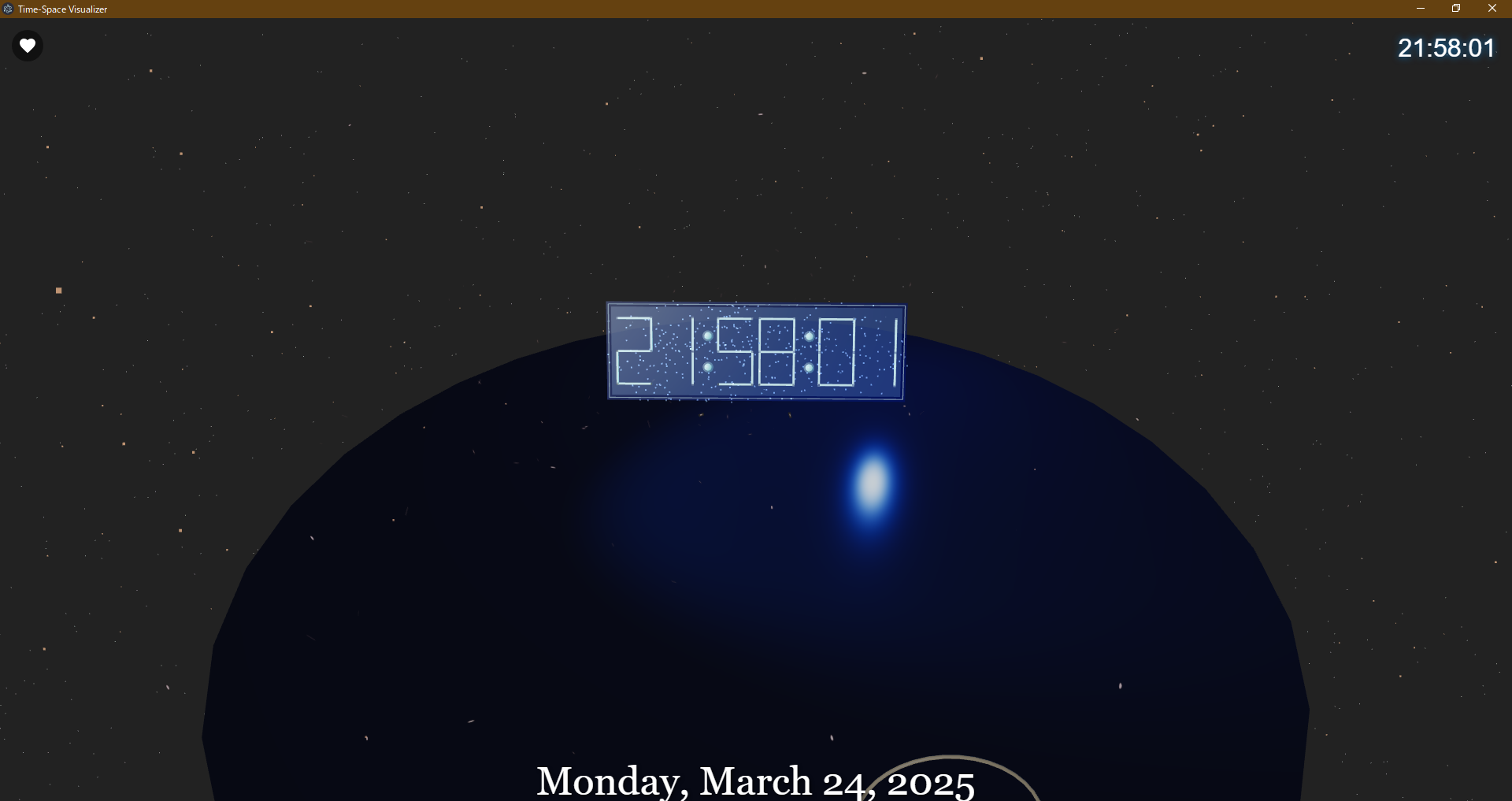
Simple Theme
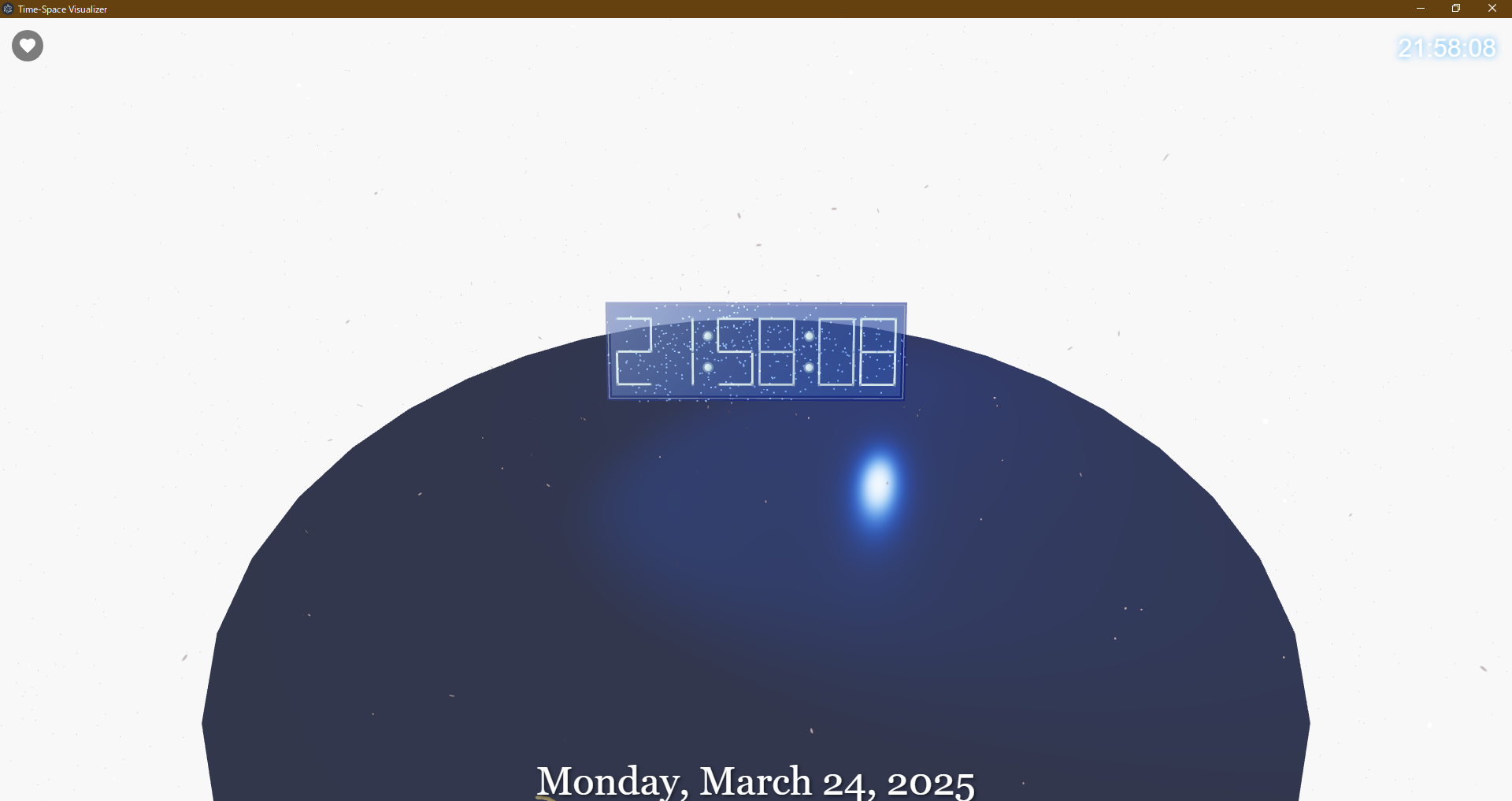
White Theme

Cherry Blossom Theme
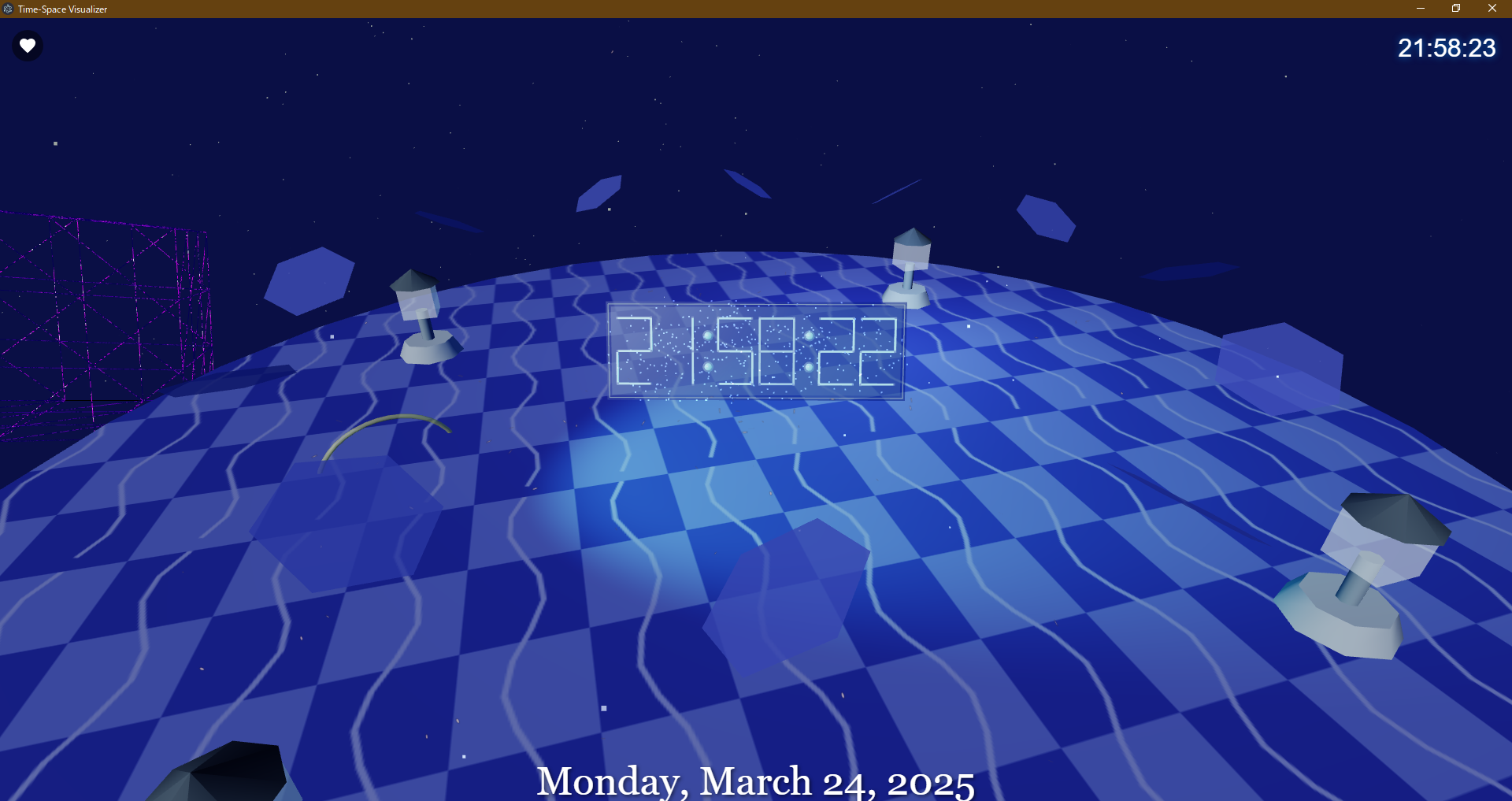
Indigo Theme
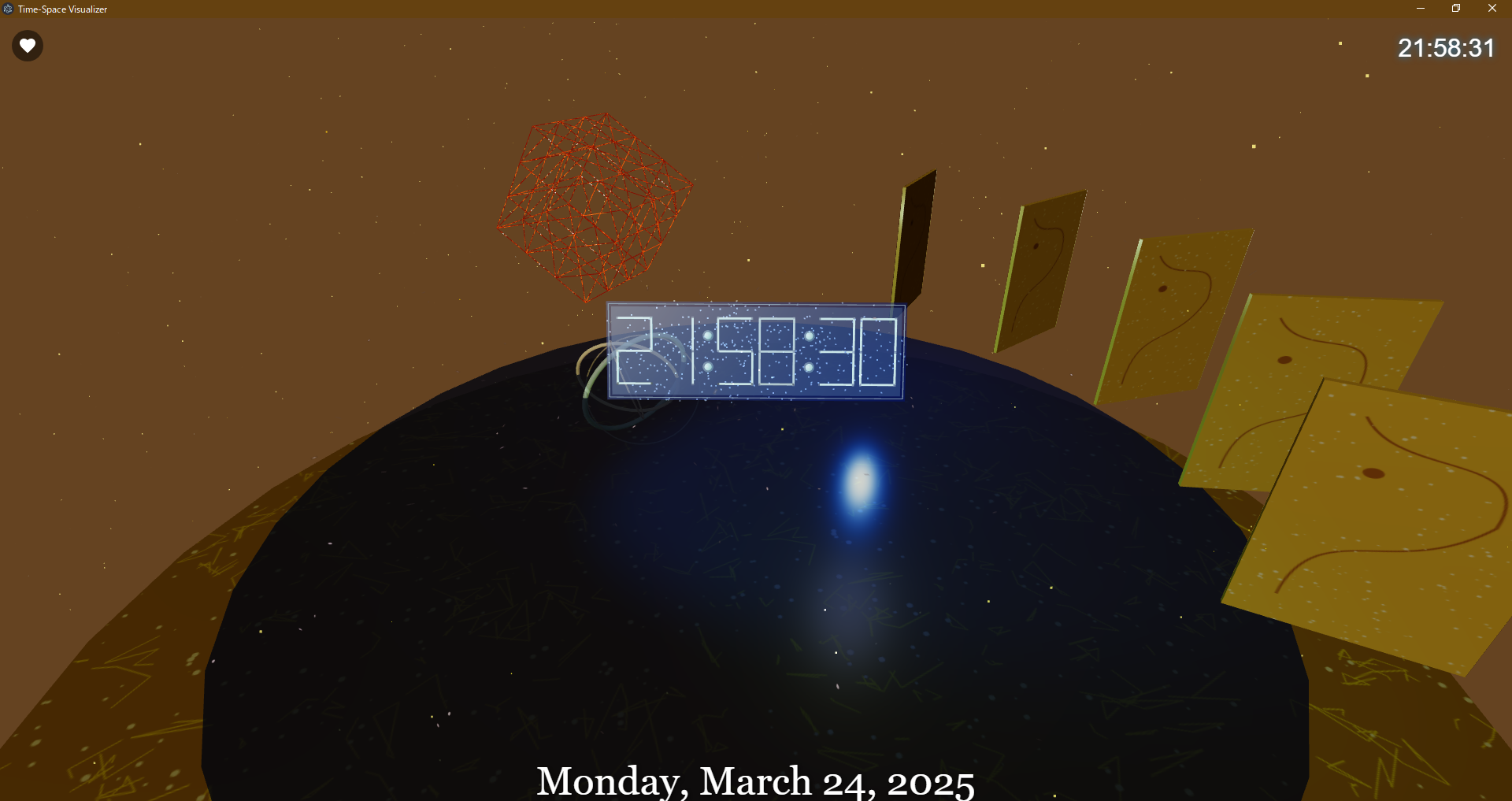
Gold Leaf Screen Theme

Flame Fantasy Theme
Effect Settings
You can turn the following effects on/off:
In Version 1.2.6 every effect is listed in a vertical toggle list, while motion speed sliders sit immediately below so you can fine-tune dynamics in one place.
- Central Object: Shows or hides the sculpture and HUD objects in the middle.
- Planetary System: Adds orbital rings and planets for a space-inspired stage.
- Floating Particles: Releases multicolored particles across the space.
- Ripple Effect: Draws water-like ripples across the floor.
- Aurora: Projects soft aurora curtains in the background.
- Firefly: Emits glowing fireflies that drift around the clock.
- Sakura Petals: Sprinkles cherry blossom petals for a Japanese aesthetic.
- Snow Effect: Adds snowflakes for winter or calm scenes.
- Camera Motion: Automatically moves the camera using presets such as Random.
- Motion Speed: Adjust the camera motion speed with the slider below the toggle list.
Notes on Using Effects
Enabling multiple effects simultaneously may increase the processing load on your computer and slow
down the application. In particular, effects such as "Bloom," "Glow," and "Depth Effect" have higher
processing requirements.
If performance slows down, try the following:
- Reduce the number of active effects
- Turn off particularly processor-intensive effects
- Turn off "Camera Motion"
- Adjust the combination of effects according to your computer's specifications
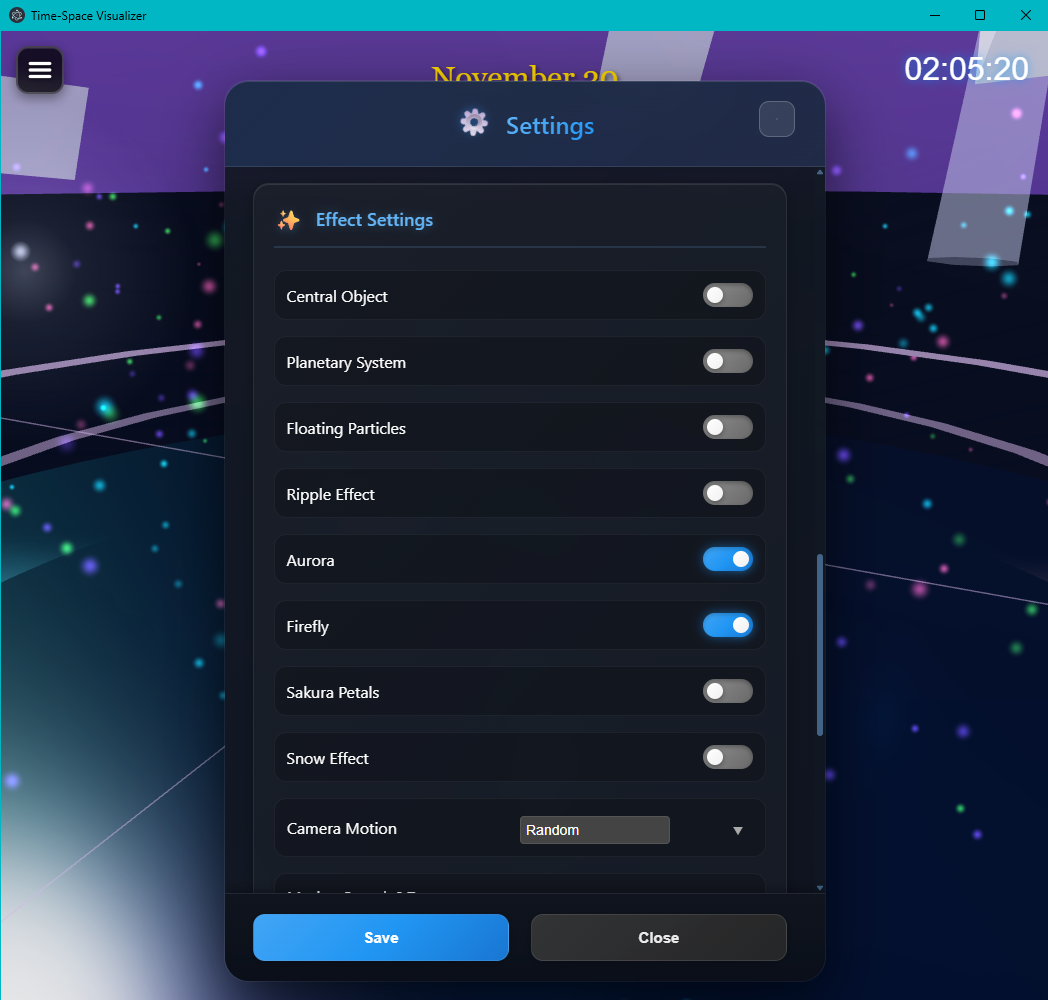
Vertical toggle list with motion controls in the refreshed effect panel
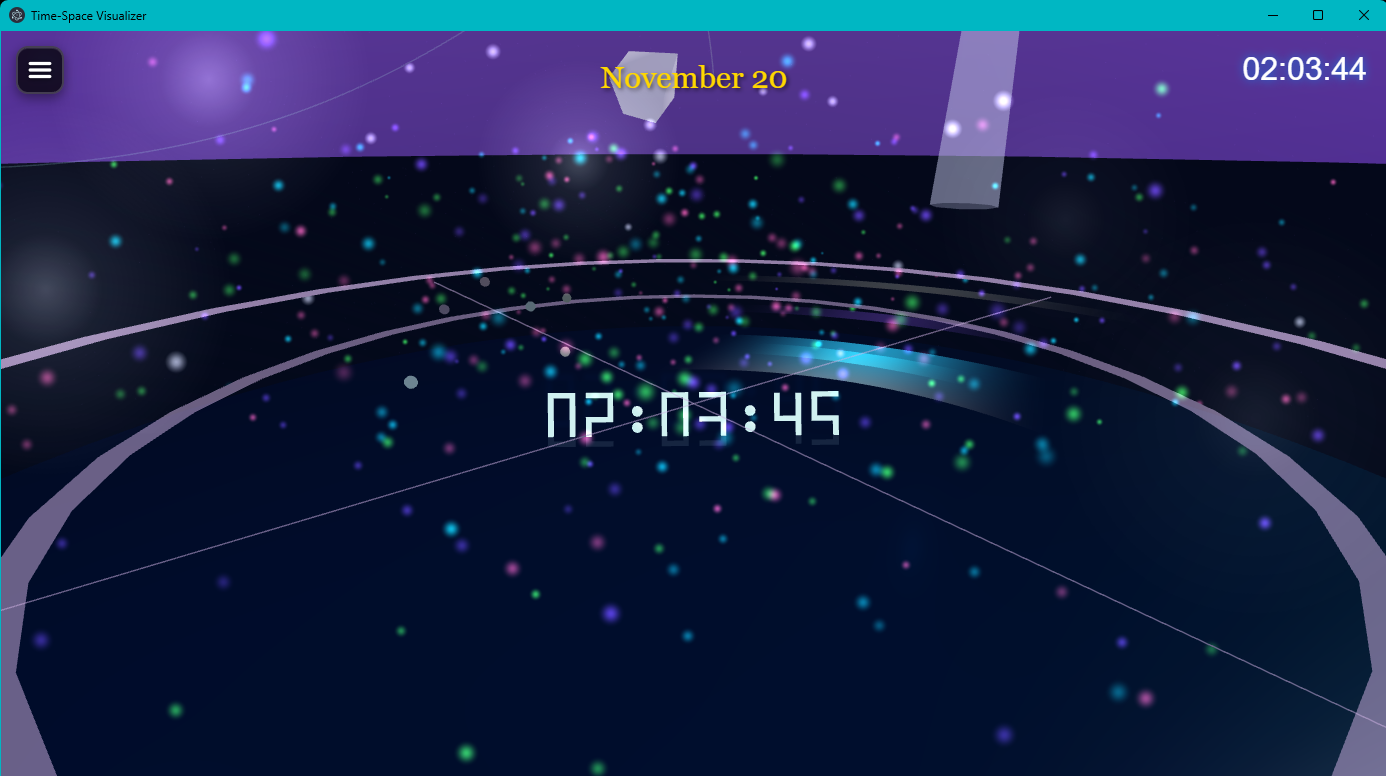
Example scene with the Firefly effect enabled
Language Settings
You can choose the interface language from 14 languages:
- English
- Japanese
- French
- German
- Spanish
- Chinese (Simplified & Traditional)
- Italian
- Portuguese
- Russian
- Korean
- Arabic
- Hindi
- Vietnamese
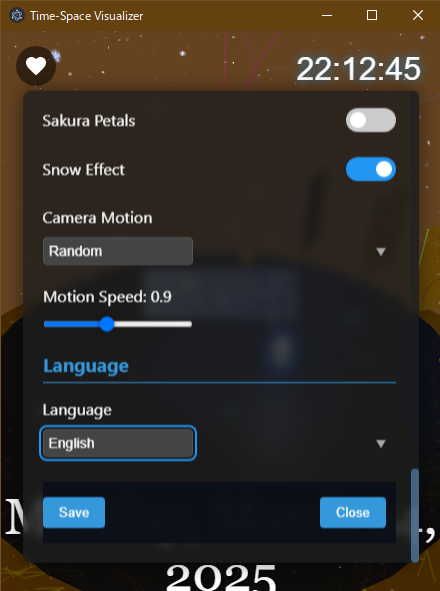
Language Settings Screen
Version 1.2.6 Update Information
Released on November 19, 2025, Version 1.2.6 introduces new clock styles and the latest theme while refining the overall presentation and usability.
New Clock Styles
- Storybook Clock: Features decorative frames and soft lighting that feel like turning the pages of a picture book.
- System Clock: Inspired by operating-system HUDs with precise indicators and layered data rings for high information density.

Storybook Clock

System Clock
New Theme
- Flame Fantasy: Combines flickering flames with afterglow particles to deliver a warm yet dramatic stage.
Additional Enhancements
- Retuned light intensity, color grading, and particle density across existing themes for tighter integration with each clock style
- Updated materials and rim lighting on every clock mode to improve readability and depth
- Refreshed recommended presets so the new clocks and theme are available immediately and applied to saved profiles
- Anchored the clock to the front of the camera so it follows camera motion, and exposed a depth slider to customize its perceived size
- Redesigned the settings button and panel into a floating card UI with large toggles for better usability
Last updated: November 19, 2025